
Exporting design as React code is the process of converting UI mockups created in tools like Figma directly into clean, production-ready React components, eliminating the manual translation work that slows most teams down. Tools like vibe_figma, Rocket.new, and Google Stitch have made this process faster and more reliable than ever before. The gap between a finished design and a working component is now measured in seconds, not sprint cycles. This guide covers the tools, preparation steps, and troubleshooting practices that make design-to-code handoff a solved problem in 2026.
What tools enable exporting design as React code?
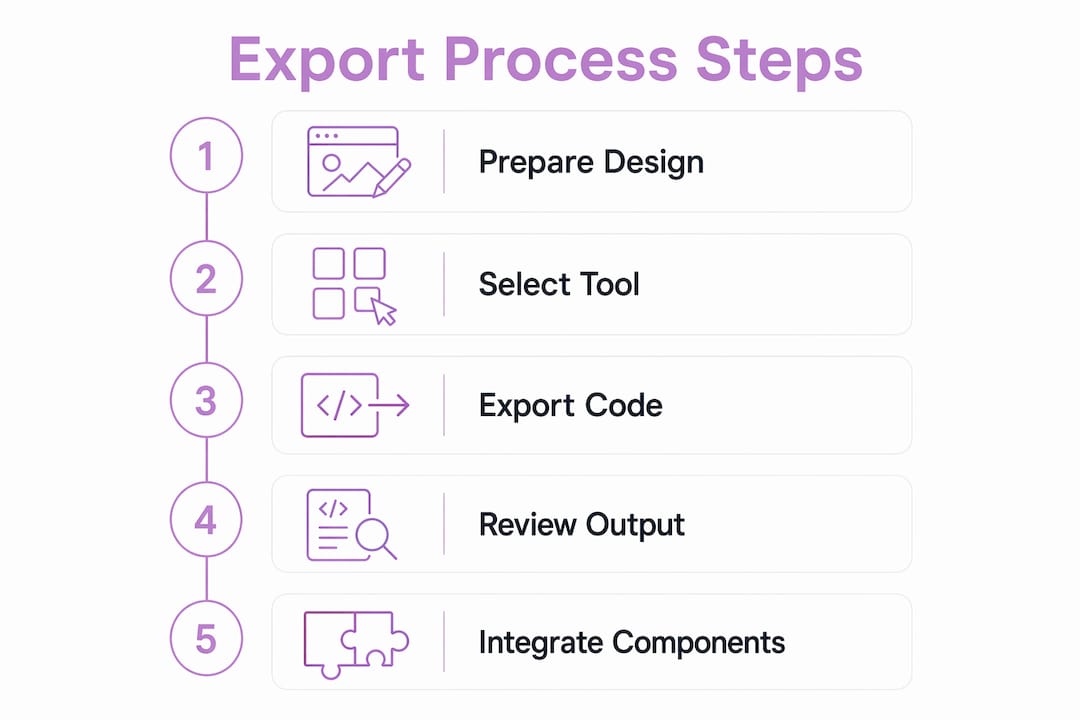
The design-to-code category has matured significantly, and several tools now offer production-grade output rather than rough scaffolding. Each takes a different approach, so choosing the right one depends on your team's security policies, existing stack, and tolerance for manual cleanup.
vibe_figma is a CLI tool that converts Figma designs to production-ready React and TypeScript components with Tailwind CSS support. You run it with "npx vibefigma <Figma URL>and configure output using flags like--no-tailwind, --no-absolute, and --clean`. It requires an AI API key, which means it processes your design through a language model to interpret component structure. This makes it powerful for complex layouts but requires a secure token setup before your team can use it at scale.

Rocket.new takes a different approach entirely. Rather than a CLI, it automates the full implementation from a pasted Figma link. You submit the file and Rocket handles scaffolding, removing the traditional developer handoff step. This is the fastest path from design to working code for teams that do not need deep configuration control.
Google Stitch pushes the boundary further. It can generate a complete multi-component mobile UI and export it as React code in under 30 seconds from a plain text description. Stitch also exports editable Figma files with auto-layout, meaning the design artifact and the code artifact stay synchronized from the start.
shadcncraft takes a component-alignment approach. By pairing a Figma design kit with a matching React component library, it uses a Figma MCP server alongside a design-system MCP server to generate React code that uses your actual project components rather than generic div structures. This is the most production-accurate output available today.
For teams that need reverse sync, the open-source code-to-figma project supports syncing React and TSX components back into Figma via CLI and plugin, enabling bidirectional synchronization between your codebase and design files.
| Tool | Input method | Output type | Best for |
|---|---|---|---|
| vibe_figma | CLI + Figma URL | React/TypeScript + Tailwind | Dev teams needing configurable exports |
| Rocket.new | Paste Figma link | Scaffolded React project | Rapid prototyping without handoff |
| Google Stitch | Text or image | React code + Figma file | AI-first design generation |
| shadcncraft | Figma MCP + design kit | Component-matched React | Production accuracy with design systems |
Pro Tip: Choosing between cloud tools with paste-link UX and local CLI tools requiring tokens depends on your team's security policies and integration needs. If your designs contain proprietary UI patterns, a local CLI keeps your assets off third-party servers.
How to prepare your Figma designs for a clean React export
The quality of your exported React code is determined almost entirely by how well your Figma file is structured before you run any tool. Sloppy layer names and detached components produce messy output regardless of which tool you use.
Follow these preparation steps to get clean, maintainable output every time:
-
Use a React-aligned component kit. Design-to-code automation works best when your Figma components map one-to-one with your React codebase. Tools like shadcncraft provide a Figma kit that mirrors the shadcn/ui component library exactly. When the AI sees a "Button" component in Figma, it generates a
<Button>import from your actual library rather than a styled div. -
Never detach component instances. Detached instances lose their component identity, and export tools treat them as raw shapes. The result is inline styles and anonymous wrapper elements instead of named, reusable components. Keep every element as a live instance of its parent component.
-
Name layers to match React data slots. Pre-aligning Figma layer names with React component slot names allows AI tools to map design layers directly to your production components. A layer named
cardTitlemaps cleanly to atitleprop. A layer namedRectangle 47generates nothing useful. -
Organize design tokens using Figma plugins tied to your codebase. Plugins like Tokens Studio let you define color, spacing, and typography tokens that match your CSS or Tailwind config. When tokens align between Figma and code, exported components use the correct variable names rather than hardcoded hex values.
-
Avoid custom shapes that break component recognition. Irregular vector paths and manually drawn shapes cannot be matched to React components. Use Figma's built-in shape primitives and frame-based layouts wherever possible.
Pro Tip: Run a quick audit of your Figma file before export. Filter layers by type and look for any detached instances or unnamed frames. Fixing ten layers takes five minutes. Cleaning up a broken export takes an hour.
Step-by-step: how to export your design using popular tools
Each tool has a distinct workflow. Here is how to execute a clean export using the three most practical options available in 2026.
Using vibe_figma CLI
- Install Node.js and set your AI API key as an environment variable.
- Run
npx vibefigma <your-figma-url>in your project directory. - Add flags based on your project needs. Use
--no-absoluteto get flexbox-based layouts instead of fixed positioning. Use--no-tailwindif your project uses CSS modules or styled-components. Use--cleanto strip boilerplate and get minimal output. - Review the generated TypeScript files. Check that component names match your existing naming conventions before adding them to your project.
Using Rocket.new
- Open your Figma file and copy the share link.
- Paste the link into Rocket.new's input field.
- Rocket handles scaffolding automatically, generating a React project structure without requiring any developer configuration.
- Download or clone the generated project and review the component tree before integrating it into your codebase.
Using Google Stitch
- Open Google Stitch and enter a plain text description of the UI you want, or upload a screenshot as a reference.
- Stitch generates a complete multi-component UI with React code and an editable Figma file in under 30 seconds.
- Export the React code directly. The Figma file includes auto-layout and editable layers, so your designer can refine the output without starting from scratch.
- Use the multiplayer feature to review the generated design with your team before finalizing the export.
Post-export review checklist
- Verify that all component imports resolve correctly in your project.
- Check that Tailwind classes match your project's
tailwind.config.jstheme values. - Replace any hardcoded color values with your design token variables.
- Test responsive behavior at your standard breakpoints.
- Remove any unused wrapper elements that export tools sometimes generate around root components.
Pro Tip: The AI-assisted component loop using matching component libraries dramatically reduces reconciliation time. If you are spending more than 20 minutes cleaning up an export, the issue is almost always in the Figma file structure, not the tool.
Common challenges when exporting design as React code
Even well-prepared designs produce export issues occasionally. Knowing what to look for saves significant debugging time.
-
Detached instances generate anonymous divs. When a component instance is detached in Figma, export tools cannot identify its type. The output is a generic wrapper with inline styles. The fix is always upstream: reattach or recreate the instance before re-exporting.
-
Absolute positioning breaks responsive layouts. vibe_figma's default output uses absolute positioning to preserve pixel-perfect placement. For most production use cases, this is wrong. The
--no-absoluteflag standardizes exports to flexbox-based layouts, which integrate cleanly with responsive grid systems. -
Design token drift causes styling inconsistencies. If your Figma tokens and your Tailwind config diverge over time, exported components reference class names or values that do not exist in your stylesheet. Audit token alignment before every major export cycle, not after.
-
AI-generated code requires human review for business logic. Human review remains essential for quality and business logic incorporation. No export tool understands your application's state management, API contracts, or accessibility requirements. Treat exported components as a starting point, not a finished product.
-
Unrecognized components produce flat HTML. If your Figma kit does not match your React library, the AI generates plain HTML elements instead of component imports. The solution is to use a design kit that mirrors your component library exactly, as shadcncraft's approach demonstrates.
The most common export failure is not a tool bug. It is a Figma file that was never designed with code output in mind. Treat your Figma file as a specification document, not just a visual artifact, and your exports will be clean from the start.
For bidirectional sync, the code-to-figma workflow uses AST parsing and headless browser tracing to extract pixel-accurate styles from React components and render them back into Figma frames. This is particularly useful for auditing whether your production components still match the original design intent after several development iterations.
Key takeaways
Exporting design as React code requires aligned Figma component kits, consistent layer naming, and the right tool for your team's security and workflow constraints.
| Point | Details |
|---|---|
| Tool selection matters | Choose between CLI tools like vibe_figma and cloud tools like Rocket.new based on your team's security and configuration needs. |
| Prepare Figma files first | Aligned component kits and consistent layer naming determine export quality more than the tool you use. |
| AI tools need human review | Exported React code requires manual checks for business logic, accessibility, and token alignment before production use. |
| Flags control output quality | vibe_figma's --no-absolute and --no-tailwind flags let teams standardize exports to match their project architecture. |
| Bidirectional sync is possible | code-to-figma enables reverse sync from React components back to Figma, keeping design and code aligned over time. |
Why component vocabulary is the real unlock
Most teams focus on picking the right export tool. The actual bottleneck is something less visible: whether your designers and developers are working from the same component vocabulary. I have seen teams spend weeks evaluating vibe_figma versus Rocket.new while their Figma files are full of detached instances and layers named "Group 14." The tool choice barely matters at that point.
The shadcncraft approach changed how I think about this. When your Figma kit maps one-to-one with your React library, the AI is not guessing what a "Card" component should look like in code. It knows. The output is not a translation. It is a lookup. That distinction cuts reconciliation time more than any feature comparison between export tools ever will.
AI tools are genuinely useful here, but they are productivity multipliers, not autonomous developers. Google Stitch generating a full UI in 30 seconds is impressive. What it cannot do is understand your authentication flow, your error state requirements, or why your design system uses a specific spacing scale. That context lives with your team, and no export tool will ever replace it.
My practical recommendation: start with component alignment before you evaluate any tool. Build or adopt a Figma kit that mirrors your React library. Name your layers to match your component props. Then run your first export. You will spend less time cleaning up output than any tool comparison would save you.
The future of this space is tighter synchronization, not faster generation. Bidirectional tools like code-to-figma point in the right direction. When a developer refactors a component and the Figma file updates automatically, the design-code gap closes permanently rather than being patched sprint by sprint.
— Lucas
Turn any screenshot into a React component with Tryshard
If your workflow includes referencing UI patterns from live products, design inspiration sites, or competitor interfaces, Tryshard offers a direct path from screenshot to working React component.
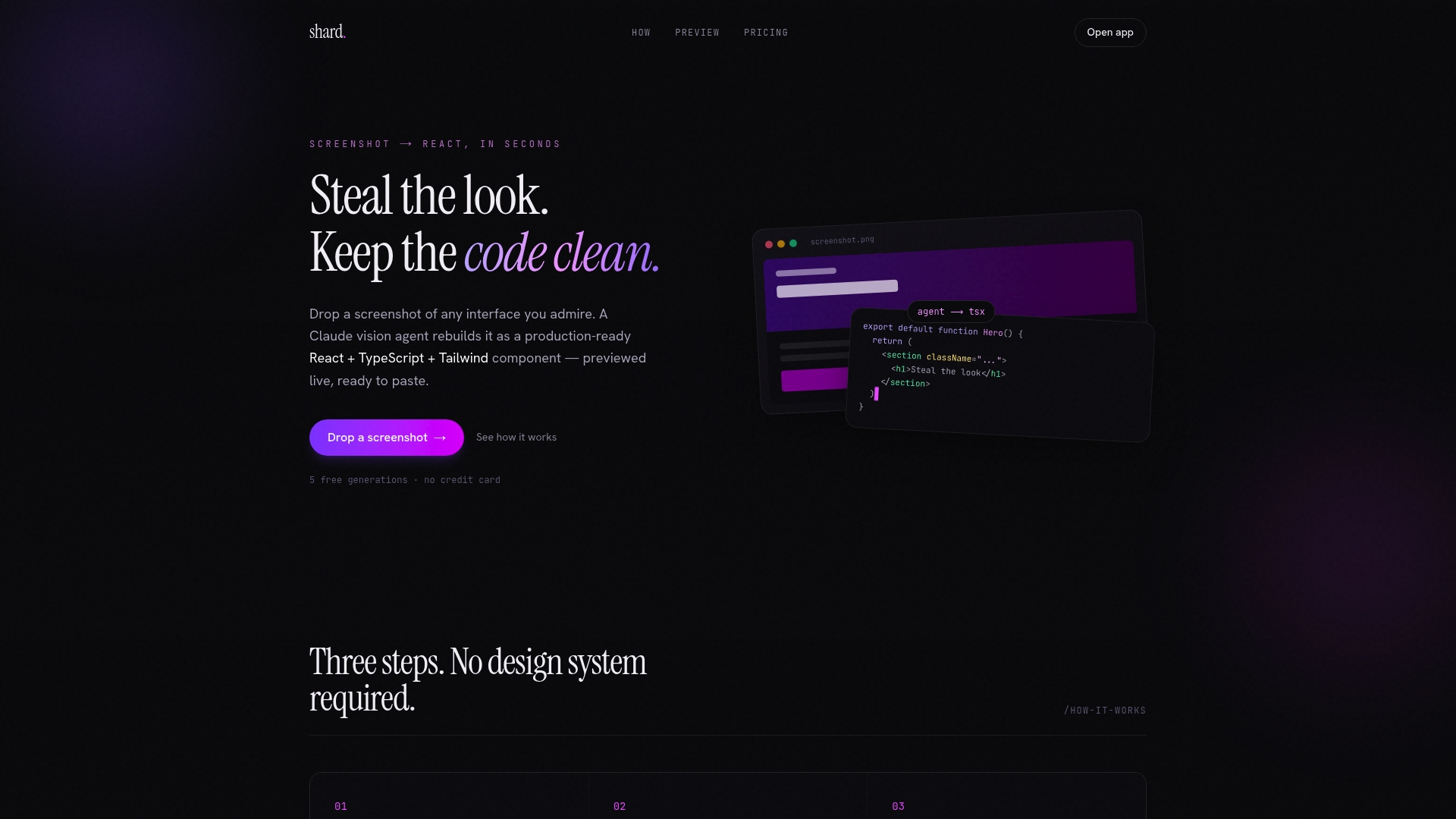
Drop a screenshot into Tryshard and its vision agent analyzes the image and generates a React, TypeScript, and Tailwind component ready to copy into your project. No design system required. No Figma file needed. You preview adjustments live and get clean, self-contained code that integrates with your existing React setup. For developers who need to move fast on UI work without a full design-to-code pipeline, Tryshard fills the gap between inspiration and implementation.
FAQ
What does it mean to export design as React code?
Exporting design as React code means converting UI mockups from tools like Figma into functional React components, typically with TypeScript and Tailwind CSS, using CLI tools, AI platforms, or plugins.
Which tool is best for React code from Figma?
vibe_figma works best for teams needing configurable CLI exports, while Rocket.new suits teams that want automated scaffolding without manual setup. shadcncraft produces the most production-accurate output when your Figma kit matches your React component library.
How do I prepare my Figma file for a clean React export?
Use a component kit that maps directly to your React library, keep all component instances attached, name layers to match React prop slots, and align your design tokens with your Tailwind or CSS config before running any export tool.
Can AI tools fully automate design handoff to React?
AI tools can generate accurate React code from well-structured Figma files, but human review remains necessary for business logic, accessibility requirements, and state management. Treat AI-generated output as a strong first draft, not a finished component.
What is bidirectional design-to-code sync?
Bidirectional sync means changes in your React codebase can be reflected back into Figma, and vice versa. The code-to-figma project enables this by scanning React components and generating Figma-compatible artifacts through AST parsing and style extraction.